What is eSIM and How Does It Work?
An eSIM is a digital SIM built into modern phones, offering the same functions as a physical SIM without the need for insertion. It helps avoid roaming fees and makes switching providers easier.
Choose your destination
eSIM activated
Scan to install



What is an eSIM?
An eSIM is a digital SIM card built directly into your phone. It does everything a traditional SIM card does, connects you to cellular networks for calls, texts, and data—but without the physical card you need to insert.
This embedded technology lets you use multiple carriers and phone numbers simultaneously. Available on most modern smartphones, tablets, smartwatches, and even some cars, perfect for travelers who need quick connectivity without hunting for local SIM cards.
How does an eSIM work?
Your phone uses pre-installed software to activate the digital SIM. Once set up, you connect to cellular networks, make calls, and use mobile data just like a physical SIM card. Most phones from 2018 onwards have this technology built-in; check our compatibility list
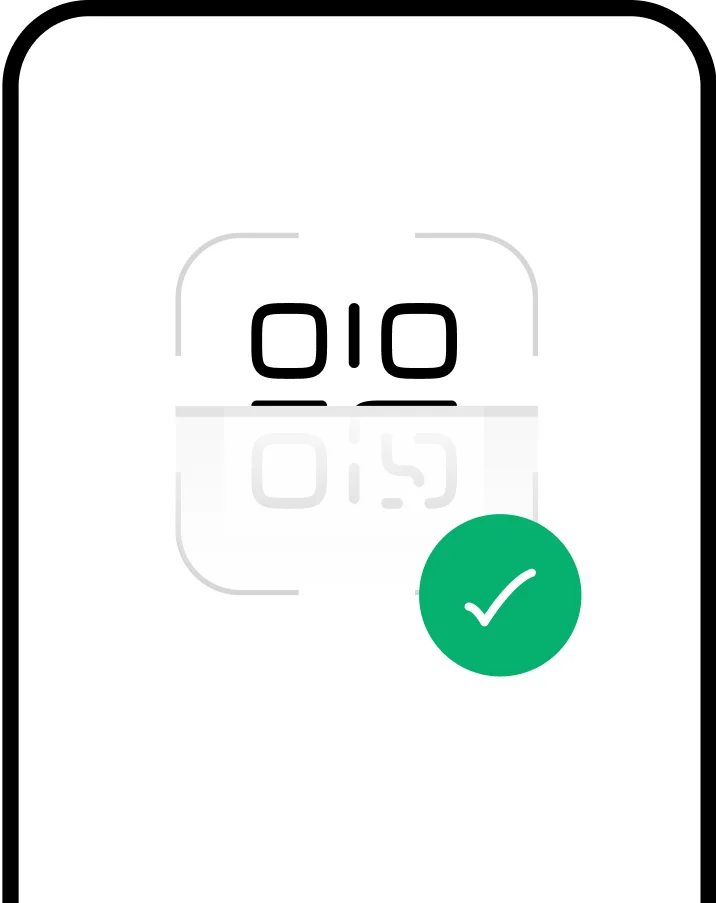
Getting started is simple: buy a plan, scan a QR code from your email, and you're connected in minutes. Your physical SIM stays right where it is, no need to remove it or choose between them.

How to set up an eSIM?


Select a data plan for your destination and complete checkout.

Your eSIM installs instantly and activates when you land.

Track usage, top up data, and manage all your eSIMs in one place.
Select a data plan for your destination and complete checkout.
Your eSIM installs instantly and activates when you land.
Track usage, top up data, and manage all your eSIMs in one place.

Advantages of eSIM
Disadvantages of eSIM
eSIMs are the future of connectivity. Here are the main advantages of an eSIM.

No high roaming costs
Travelers can purchase an eSIM to connect to local operators and avoid unexpected roaming charges.

Multiple profiles
A device can store multiple eSIMs, making it easy to switch between carriers and numbers.

You pay for what you need
Traveling for a week? Get a 7-day plan instead of a monthly one and save money for the experiences that matter.

Save Space
The absence of a physical SIM slot creates space for upgrades like a larger battery or extra features.

It cannot be lost or stolen.
Swapping SIM cards can be tricky while traveling. With an eSIM built-in, there's no risk of losing or stealing it.

Less Waste
Constantly needing new SIM cards adds up environmentally. Switch to an eSIM.


Not sure if your device is compatible?
Check if your phone or tablet supports eSIM before you travel — most modern devices already do.
Check CompatibilityeSIM vs Traditional SIM: What's the Difference?
The main difference between an eSIM and a traditional SIM is that an eSIM is digital while a SIM is a physical chip.
 Telephone numbers
 Network operators
 Removal
 Activation
 Compatibility
 Use abroad
How Much Can You Save with an eSIM?
Compare the real costs of staying connected while traveling. eSIMs offer significant savings compared to traditional options.

Common eSIM Issues & Solutions
Having trouble with your eSIM? Here are solutions to the most common issues.
QR code won't scan
No service after activation
eSIM not appearing in settings
Can't delete old eSIM profile
Multiple eSIMs conflicting
Activation code not working
FAQs
The 'e' in eSIM stands for 'embedded' or 'electronic', meaning the SIM is built into your device's hardware rather than being a removable physical card. This embedded design is what allows eSIMs to be activated remotely without needing to insert or swap physical SIM cards.
Activating an eSIM is simple: 1) Purchase an eSIM plan from a provider like HelloRoam, 2) You'll receive a QR code via email, 3) Go to Settings → Mobile/Cellular → Add Mobile Plan, 4) Scan the QR code with your phone's camera, 5) Follow the on-screen prompts to complete activation. The entire process takes about 5 minutes and requires an internet connection.
Yes! Most modern smartphones support dual SIM functionality, allowing you to use an eSIM and a physical SIM simultaneously. This is perfect for travelers who want to keep their home number active while using a local eSIM for data. You can easily switch between them in your phone's settings.
Most modern smartphones support eSIM, including iPhone XS and newer, Google Pixel 3 and newer, Samsung Galaxy S20 and newer, and many other recent models from brands like Huawei, Motorola, and Oppo. To check if your specific device supports eSIM, visit our device compatibility page where you can search for your exact model.
Unlike physical SIM cards, you cannot simply move an eSIM from one device to another. When you switch phones, you'll need to remove the eSIM from your old device and set it up again on your new device. Most carriers allow you to transfer your eSIM profile by contacting customer support or through their app. For travel eSIMs, you may need to purchase a new plan for the new device.
eSIMs are actually more secure than physical SIM cards. Since they're embedded in your device, they can't be physically removed or stolen. They use the same encryption and security standards as traditional SIM cards, plus they eliminate risks like SIM swapping fraud. Your eSIM profile is protected by your device's security features, including biometric authentication.
eSIMs are ideal for travelers because: 1) You can buy and activate them before your trip without visiting a store, 2) No need to swap physical cards or worry about losing tiny SIM cards, 3) Significantly cheaper than international roaming (up to 90% savings), 4) Instant activation upon arrival, 5) Keep your home number active while using local data, and 6) Easy to purchase plans for multiple countries if you're visiting several destinations.
Most phones can store 5-10 eSIM profiles at once, though you can typically only have 1-2 active simultaneously. For example, iPhones can store up to 8 eSIMs but only use 2 at a time (one eSIM + one physical SIM, or two eSIMs). This is perfect for frequent travelers who want to keep eSIMs from different countries ready to activate when needed.
Yes, you need an internet connection to download and install your eSIM profile initially. We recommend using WiFi for the setup process. However, once your eSIM is installed, you can activate it without internet if you've chosen a plan that activates automatically at your destination.
Your eSIM profile data is stored on your device's secure chip. If your phone dies (runs out of battery), the eSIM will work normally once you charge it. If your phone is damaged beyond repair, you'll need to contact your carrier to deactivate the old eSIM and get a new one for your replacement device. This is why it's important to know your eSIM details (like the activation code) in case you need to reinstall it.
An eSIM is about one-third the size of a nano-SIM chip (3mm x 2.5mm vs 12.3mm x 8.8mm), but you'll never see it because it's permanently embedded in your device's motherboard. This tiny chip is soldered directly into the hardware during manufacturing, which frees up valuable space inside your phone for other components like larger batteries or better cameras.
The eSIM chip itself never expires and lasts as long as your device. However, eSIM data plans have validity periods (typically 7-30 days for travel plans). Once activated, your plan expires when the validity period ends or when you use all the data, whichever comes first. Unused eSIM plans usually remain valid for installation for 1-2 years from purchase date.
It depends on your provider. Some carriers allow you to reinstall a deleted eSIM using the same QR code, while others consider the QR code single-use. For HelloRoam travel eSIMs, contact support if you accidentally deleted your profile before it expired—they may be able to reissue your activation code. Always keep your QR code and activation details safe as backup.
Yes, eSIM fully supports 5G, 4G LTE, and all network technologies just like physical SIM cards. There's absolutely no speed difference—both use the same cellular technology and connect to the same network towers. Your data speed depends on your plan, network coverage, and device capabilities, not whether you're using an eSIM or physical SIM.
No, eSIM doesn't drain battery faster than a physical SIM card. Both use the same cellular radio technology and consume identical power. However, if you're running dual SIM (eSIM + physical SIM simultaneously), your phone may experience slightly higher battery usage because it's maintaining connections to two networks at once. This applies to any dual SIM setup, not specifically eSIMs.
With eSIM, roaming works differently depending on your plan. Traditional carrier eSIMs roam like physical SIMs (connecting to partner networks at roaming rates). Travel eSIMs from providers like HelloRoam connect you directly to local networks without roaming charges, giving you local data rates. You simply enable data roaming in settings for the eSIM to work abroad.
Yes! Many modern tablets and smartwatches support eSIM, including iPad Pro, iPad Air, iPad mini (2019+), Apple Watch Series 3+, Samsung Galaxy Watch 4+, and Google Pixel Watch. eSIM-enabled smartwatches can make calls and use data independently without being connected to your phone. Check your specific model's specifications to confirm eSIM compatibility before purchasing a plan.
eSIM profiles are typically excluded from regular phone backups for security reasons. When you restore from backup or update your phone's software, your eSIM should remain active and working. However, when switching to a new device, you'll need to manually transfer or reinstall your eSIM. During iOS/Android updates, your eSIM stays installed but may need reactivation if issues occur.