Best eSIM for Japan 2026: the Complete Guide for New Zealand Travellers

Written by: James Harrington


12 min read
HelloRoam is a global eSIM provider offering instant mobile data in 170+ countries. Buy prepaid travel eSIM plans with no extra fees, no contracts, and instant activation on any eSIM-compatible device.
12 min read

Why free WiFi in Japan won't cut it
Japan has free WiFi almost everywhere. Getting onto it is the problem. Convenience store networks at 7-Eleven, FamilyMart, and Lawson require a registration process frequently displayed only in Japanese, including email confirmation steps you'll be attempting while your luggage is still on the carousel.
Hotels are reliable. Room broadband is solid at mid-range and above. Outside, though, you need live data on the move: Google Maps, Hyperdia (Japan's essential train app), and Google Translate's camera mode all need a connection to work.
Day-pass roaming from Spark, Vodafone NZ, and 2degrees runs roughly NZ$8-12 per day. A 14-day trip works out to NZ$112-168 in roaming charges. Hello Roam's Japan eSIM plans run around NZ$30-55 for the same fortnight. If you haven't used an eSIM before, their guide to what an eSIM is is a clear primer before you commit to a plan.
Pocket WiFi rental was once the standard workaround. Shops have steadily closed since 2023, and the ones still running charge daily fees, require an extra device to carry and charge, and impose hard return deadlines that add stress to your final day.
Physical SIM cards are sold at Narita, Haneda, Kansai, and New Chitose airports, but they need an unlocked handset and involve registration steps often in Japanese. Peak-season queues at Narita arrivals can run 30-45 minutes, which is not an ideal start to a holiday.
Activating an eSIM before you board in Auckland means you land connected. No queue, no first-day dead zone, no scrambling for WiFi near the arrivals hall.

Does your NZ phone support eSIM?
Most iPhones sold in New Zealand since 2018 support eSIM. The iPhone XS was the first model with the feature, and from iPhone 14 onward, every NZ-market handset ships dual eSIM-ready. The iPhone 15 and 16 series have no physical SIM slot at all.
Android is similarly well-covered. Samsung Galaxy S20 and later carry eSIM capability, and Google Pixel devices from the Pixel 6 onward are fully eSIM-compatible, some without any physical SIM slot either. If you've upgraded your mobile in the past three or four years, your handset very likely qualifies.
The sticking point for NZ buyers is carrier locking. A Spark, Vodafone NZ, or 2degrees handset purchased on a plan is typically locked to that carrier's network, which stops an eSIM from another provider activating. Discover this the night before departure and you're stuck.
Unlocking is free. Contact your carrier directly and they'll process the request, though allow at least a week before travel. Some carriers need your account details and IMEI number, and the turnaround can run several business days.
To check eSIM compatibility on an iPhone, go to Settings, then General, then About, and look for an IMEI2 entry. That confirms dual SIM support. On Samsung devices, open Settings, then Connections, then SIM Manager, and an option to install an eSIM will appear if your handset supports it.
If you bought your phone outright or on a SIM-free deal, it's almost certainly already unlocked. Carrier-locked handsets are those that came bundled with a long-term mobile plan from Spark, Vodafone, or 2degrees.
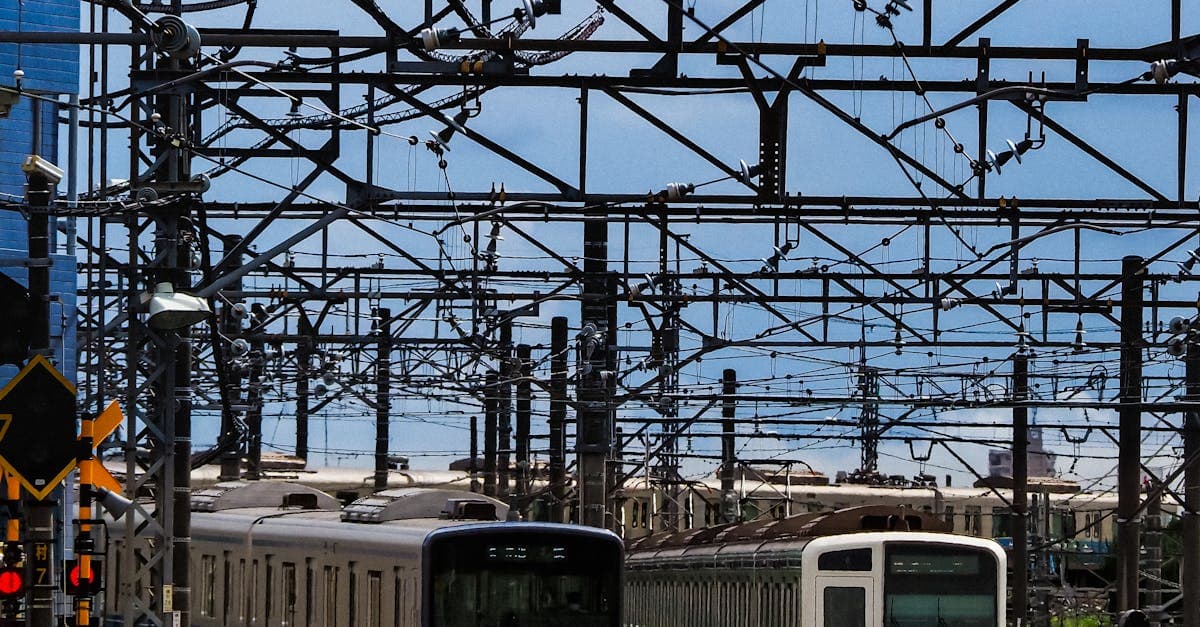
Japan's mobile networks: which carrier covers your route
Four networks operate in Japan: NTT Docomo, au (KDDI), SoftBank, and Rakuten Mobile. Which one your eSIM runs on matters more than most buyers think to check before purchasing.
Docomo and KDDI have the strongest nationwide footprint. Both reach rural areas, mountainous terrain, and smaller islands that the other two don't reliably serve. If your trip takes you outside Tokyo, Osaka, and Kyoto, these two carriers are the ones to prioritise.
SoftBank covers major cities well. Urban Japan has dense 5G on all the main networks, with Tokyo, Osaka, Kyoto, and Fukuoka all comprehensively served. Beyond that urban core, SoftBank's reach becomes patchier in the countryside and on island routes.
Rakuten Mobile is the most recent entrant. Its 4G LTE works in major cities, but the network has no presence in Okinawa, limited reach in rural Hokkaido, and gaps across many regional prefectures. A Rakuten-based eSIM is a genuine gamble if your route goes anywhere beyond the main urban centres.
Most tourist-facing eSIM plans are built on Docomo or KDDI for exactly this reason. Hello Roam's Japan plans run on these networks, which matters when your itinerary takes you off the Shinkansen and into less-travelled areas.
Before you buy any Japan eSIM, confirm which physical network the plan uses. It's the single most useful piece of technical information for Japan connectivity planning, more relevant to your actual experience than data allowance or plan length.

Coverage in Hokkaido and Okinawa
Okinawa and Hokkaido are where the coverage picture changes. Both attract NZ visitors in growing numbers, and both share a common trap: eSIM plans running on Rakuten Mobile's network offer little to no service in either region.
Sapporo itself is fine. The city has solid 4G and 5G across all major networks. The problem starts once you leave. Rural Hokkaido beyond Furano and Biei is essentially Docomo-only territory, and Niseko along with the ski resorts around Kutchan are served by Docomo and KDDI, with Rakuten dropping out entirely in these areas.
NZ travellers heading to Hokkaido for the January-February ski season should confirm their eSIM runs on Docomo or KDDI before purchasing. It's a quick check on most providers' product pages. Getting it wrong means relying on resort WiFi between runs, which is not exactly reliable at 6am when you're checking the morning snow report.
Okinawa main island, including Naha and the area around Churaumi Aquarium, has reliable 4G and 5G on KDDI and SoftBank. Rakuten does not operate in Okinawa at all. The outer Ryukyu Islands, including Miyakojima and Ishigaki, have 4G coverage on KDDI.
A Tokyo-Osaka-Kyoto circuit combined with a Hokkaido or Okinawa leg is a popular itinerary for NZ travellers on two to three weeks. For consistent coverage across every stop on that route, a Docomo-based eSIM is the most reliable single purchase.

Five things determine whether an eSIM plan is worth buying for Japan: total price in NZD, data volume, validity period, which Japanese network the plan runs on, and whether mid-trip top-up is an option.
NZ travellers tend to stay 10-21 days, considerably longer than most tourist eSIM plans are designed around. A 7-day plan that works fine for a short Pacific hop will leave you short around day eight in Kyoto. Validity matters more than most plan comparison pages acknowledge.
Almost every tourist eSIM for Japan is data-only. Calls and SMS are excluded, which is not a practical problem: WhatsApp, FaceTime Audio, and Messenger all run over data, and your NZ physical SIM stays active simultaneously for incoming calls and banking texts.
The two-week roaming total from your NZ carrier, noted above, is avoidable. A well-chosen Japan eSIM for the same 14 days costs roughly NZ$25-55, depending on data volume.
*Holafly throttles speeds after a daily usage cap. For plans running on Docomo and KDDI, Japan's two highest-coverage national networks, see the next section.
Network selection is what separates a workable Japan eSIM from a frustrating one. Hello Roam's Japan plans run on NTT Docomo and au (KDDI), the two carriers with the broadest rural and island coverage in the country. That includes Tokyo, Osaka, and Kyoto, but also the Hokkaido ski regions and the Okinawa island chain, where Rakuten Mobile has no meaningful footprint.
Plans are priced and displayed in NZD through the Hello Roam app. Most international eSIM providers default to USD, meaning NZ travellers absorb a small conversion cost on every purchase. Seeing the NZD figure upfront removes that friction entirely.
Validity options are built for longer stays, suited to the 10 to 21 day itineraries typical of NZ travellers flying from Auckland. The cost for a 14-day trip sits well below the carrier roaming total noted above.
Activation is QR code-based. Setup typically completes in under 10 minutes, and 24/7 customer support is available if something goes wrong mid-trip.
The plan covers data only, leaving your home SIM active for calls and texts. That means your NZ number stays live for incoming calls and banking notifications without any reconfiguration.
Airalo's entry-level Japan plans are genuinely cheap. Under NZ$12 for 1GB works fine for a short Tokyo day trip, but falls short on a two to three-week itinerary involving daily navigation, public transport apps, and the occasional video call back to Auckland. Larger plans are available and the pricing is competitive, though every purchase goes through USD billing, which adds a small conversion cost for NZ buyers.
Customer support is the other consideration. Based on widely reported user feedback across travel forums, response times from both Airalo and Holafly have been slower than NZ-market alternatives. Not a problem if setup goes smoothly; a meaningful one if you hit a provisioning error at Narita.
Holafly markets its Japan plan as unlimited data, which sounds straightforward. In practice, speeds are throttled after a daily usage cap, and that affects Google Maps in real-time navigation mode and video quality on the Shinkansen when the limit kicks in. The daily rate model shown in the comparison above also grows expensive on longer trips: the cost advantage over a fixed-volume plan narrows considerably after 10 days and largely disappears on a three-week itinerary.
For a 5 to 7 day Japan trip where keeping upfront costs low is the priority, either provider offers reasonable value. Once you are planning for two weeks or more, the data sizing and total cost picture shifts.
Activate the eSIM before you leave home, not at the airport. The process needs a stable WiFi connection, and troubleshooting it in the arrivals hall at Narita after a long-haul flight is not where you want to be. Do it 24 to 48 hours before departure.
On iPhone, open Settings, tap Mobile Data, select Add eSIM, then scan the QR code from the provider's confirmation email. Samsung users go to Settings, then Connections, then SIM Manager, then Add eSIM. On a Google Pixel, the path is Settings, then Network and Internet, then SIMs. Scan when prompted. The exact menu labels vary slightly by model, but the QR code process is consistent across all supported devices.
Once the eSIM is installed, set it as the default for mobile data. Leave your NZ SIM configured for calls and texts. That keeps your NZ number live for incoming calls and NZ bank 2FA, while Japan data runs through the eSIM.
On landing at Narita, Haneda, or any other Japanese airport, the eSIM connects automatically to a local carrier. No manual network selection required.
One check to make before purchasing: if your NZ handset was bought on a plan from Spark, Vodafone, or 2degrees, it may be carrier-locked, as noted in an earlier section. Contact your NZ carrier to request an unlock first. A locked handset will not register a third-party eSIM.

Yes, and for most Kiwis it matters more than they expect. ASB, ANZ NZ, BNZ, and Kiwibank all send SMS verification codes when they detect a login coming from a Japanese IP address. Without your NZ SIM active, you can find yourself locked out of your own bank account halfway through Shinjuku.
Dual SIM support (covered earlier in this guide) is what makes this work. Configure your Japan eSIM as the default data SIM for navigation and browsing, and leave your NZ physical SIM active in the background for incoming calls and texts. Your phone handles both at once without any fiddling.
The catch: receiving international SMS texts on a NZ SIM from abroad can attract a small fee from Spark, Vodafone, or 2degrees. Check your carrier's incoming international SMS rate before you depart, not after.
A simpler fix is to set up Google Authenticator or Authy as a backup login method for your bank accounts before you leave home. Most NZ banks now accept authenticator apps as an alternative to SMS codes. That eliminates the SMS dependency entirely if you'd rather not think about the fee.
Test the setup before you board. Put both SIMs active, connect data through the eSIM profile, and make a test call through the NZ SIM. A five-minute check at home saves a frustrating half-hour at Narita.
For a typical two-week trip with Google Maps running daily, regular social media, and messaging back home, most NZ travellers land in the 10-15GB range. That covers navigation through Tokyo's backstreets, checking train times, and posting the occasional photo without hitting a wall mid-trip.
Light use only? Maps and messaging, no video, no Instagram? Five to eight gigabytes is generally enough for a fortnight. Most of that data goes to Google Maps real-time routing, which pulls more than people expect.
Heavy use is where the numbers climb. Regular video calls to whanau back home, streaming on the Shinkansen, and shooting content for social media can push consumption to 15-25GB over the same period. Downloading Google Maps offline tiles for each region before arrival shaves a meaningful chunk off that total.
One thing people miss: setting up a Suica or IC transit card on iPhone requires a live internet connection during initial pairing. The data hit is minimal, but the connection needs to be stable, so do it before heading to the station.
For most NZ travellers on a standard Japan circuit, 15GB is a solid starting point. For three-week itineraries taking in Hokkaido, Honshu, and Okinawa, size up to account for the extra days and the longer stretches between hotel WiFi.

Free WiFi in Japan is widely available but often requires registration in Japanese, including email confirmation steps. Hotels provide reliable broadband, but outside of them you need live mobile data for essential apps like Google Maps, Hyperdia, and Google Translate's camera mode. An eSIM is a more practical solution for day-to-day connectivity.
Day-pass roaming from Spark, Vodafone NZ, and 2degrees costs roughly NZ$8–12 per day, adding up to NZ$112–168 for a 14-day trip. A Japan eSIM for the same fortnight typically costs NZ$25–55 depending on data volume and provider. The savings are significant for stays of two weeks or more.
NTT Docomo and au (KDDI) have the strongest nationwide footprint in Japan, covering rural areas, mountainous terrain, and smaller islands. SoftBank covers major cities well but becomes patchy beyond urban centres. Rakuten Mobile is limited to major cities and has no presence in Okinawa and limited rural Hokkaido coverage.
Most iPhones sold in New Zealand since 2018 support eSIM, starting from the iPhone XS. From iPhone 14 onward, every NZ-market model ships dual eSIM-ready, and the iPhone 15 and 16 series have no physical SIM slot at all. To confirm, go to Settings, then General, then About, and look for an IMEI2 entry.
Samsung Galaxy S20 and later models support eSIM. To check, open Settings, then Connections, then SIM Manager — an option to install an eSIM will appear if your device is compatible. If you bought your phone outright or SIM-free, it is almost certainly unlocked and ready to use a Japan eSIM.
A carrier-locked handset is one purchased on a plan from Spark, Vodafone NZ, or 2degrees that is restricted to that carrier's network. This prevents a third-party eSIM from activating on the device. Unlocking is free — contact your NZ carrier directly and allow at least a week before travel for processing.
Sapporo has solid 4G and 5G coverage on all major networks. Beyond the city, rural Hokkaido including Furano, Biei, and Niseko is primarily served by Docomo and KDDI, with Rakuten dropping out entirely. Travellers visiting Hokkaido for ski season should confirm their eSIM runs on Docomo or KDDI before purchasing.
Okinawa main island, including Naha, has reliable 4G and 5G coverage on KDDI and SoftBank. Rakuten Mobile does not operate in Okinawa at all. The outer Ryukyu Islands, including Miyakojima and Ishigaki, have 4G coverage on KDDI. An eSIM running on Rakuten will not work in Okinawa.
Open Settings, tap Mobile Data, select Add eSIM, then scan the QR code from your provider's confirmation email. Once installed, set the eSIM as the default for mobile data and leave your NZ SIM configured for calls and texts. Activate 24 to 48 hours before departure on a stable home WiFi connection.
On Samsung, go to Settings, then Connections, then SIM Manager, then Add eSIM, and scan the QR code when prompted. On a Google Pixel, go to Settings, then Network and Internet, then SIMs. The QR code process is consistent across all supported Android devices, though exact menu labels vary slightly by model.
Yes. Most Japan eSIM plans are data-only, which means your NZ physical SIM stays active simultaneously for incoming calls, texts, and banking notifications. This dual-SIM setup is important for NZ bank apps such as ASB, ANZ NZ, BNZ, and Kiwibank, which send SMS verification codes when they detect a login from a Japanese IP address.
Almost all tourist eSIM plans for Japan are data-only and do not include calls or SMS. This is not a practical problem since WhatsApp, FaceTime Audio, and Messenger all run over data. Your NZ physical SIM remains active at the same time, keeping your NZ number live for incoming calls and banking texts.
Holafly markets its Japan plan as unlimited data, but speeds are throttled after a daily usage cap is reached. This affects Google Maps in real-time navigation mode and video quality. The daily rate pricing model also becomes increasingly expensive on longer trips, with the cost advantage over fixed-volume plans largely disappearing after three weeks.
Airalo offers competitive entry-level pricing for Japan, with 1GB plans starting under NZ$12. However, all purchases are billed in USD, adding a conversion cost for NZ buyers. For short 5 to 7 day trips where low upfront cost is the priority, Airalo offers reasonable value, but data sizing becomes a concern on two to three week itineraries.
Hello Roam's Japan plans run on NTT Docomo and au (KDDI), the two carriers with the broadest rural and island coverage in Japan. This includes Tokyo, Osaka, and Kyoto as well as Hokkaido ski regions and the Okinawa island chain, where Rakuten Mobile has no meaningful footprint.
Activate your eSIM 24 to 48 hours before departure, not at the airport. The installation process requires a stable WiFi connection, and troubleshooting a provisioning error at Narita after a long-haul flight is not ideal. Once activated, the eSIM connects automatically to a local Japanese carrier on landing.
Pocket WiFi was once a popular option for Japan travel, but many rental shops have closed since 2023. Those still operating charge daily fees, require you to carry and charge an extra device, and impose hard return deadlines that add stress to your final day. An eSIM is a simpler and increasingly cheaper alternative.
Physical SIM cards are sold at Narita, Haneda, Kansai, and New Chitose airports, but they require an unlocked handset and involve registration steps often in Japanese. Peak-season queues at Narita arrivals can run 30 to 45 minutes. Activating an eSIM before departure avoids this entirely and means you land connected.
HelloRoam: your trusted travel eSIM that keeps you online across borders.
Explore Plans